

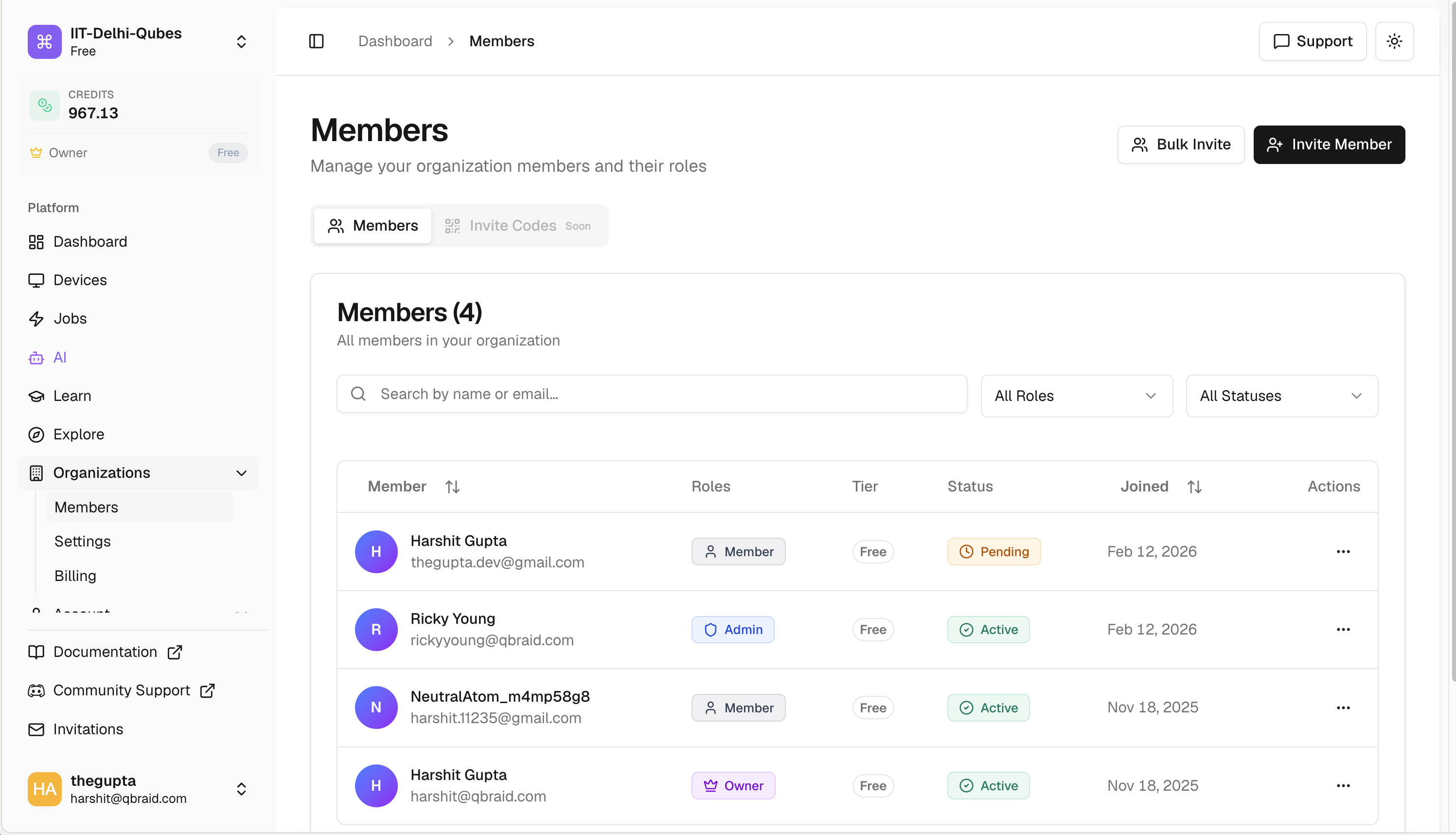
What you get
- Team management. Invite people, give them roles, and control what each person can do.
- Shared credits. Buy credits in bulk and transfer them to specific members (one at a time or in bulk).
- Shared subscriptions. One team plan with seats you assign to whoever needs the benefits.
- Permission controls. Three roles (Admin, Manager, Member) plus a single Owner per org.
- Usage visibility. See how the team is spending compute and credits in one place.
Who it’s for
- Research groups running shared experiments and pooling compute.
- Universities managing student access for courses, with caps so no one accidentally burns the budget.
- Companies deploying qBraid across teams with centralized billing and clean expense reports.
Explore the docs
Create an Organization
Submit a request to create your team workspace.
Members & Invites
Invite teammates, manage roles, suspend or remove access.
Seats
Assign or revoke subscription seats for specific members.
Credits
Buy credits, transfer to members, approve requests.
Subscriptions
Buy a team plan, change tier, or cancel.
Transactions
Audit log with CSV export.
Settings
Logo, member defaults, danger zone.
New to qBraid? Start with the qBraid Default
Wallet to understand how credits and personal
subscriptions work. Team subscriptions follow the same idea but apply per
seat.