
The Compute Manager extension offers a seamless interface to manage your computing environment. You can effortlessly start, stop, and control your server, and switch between various compute instances including CPU, GPU, and custom configurations—all directly from the qBraid Lab interface.Documentation Index
Fetch the complete documentation index at: https://docs.qbraid.com/llms.txt
Use this file to discover all available pages before exploring further.
Basic Usage
Open the Compute Manager extension by clicking on “Compute” in the qBraid Lab top-bar: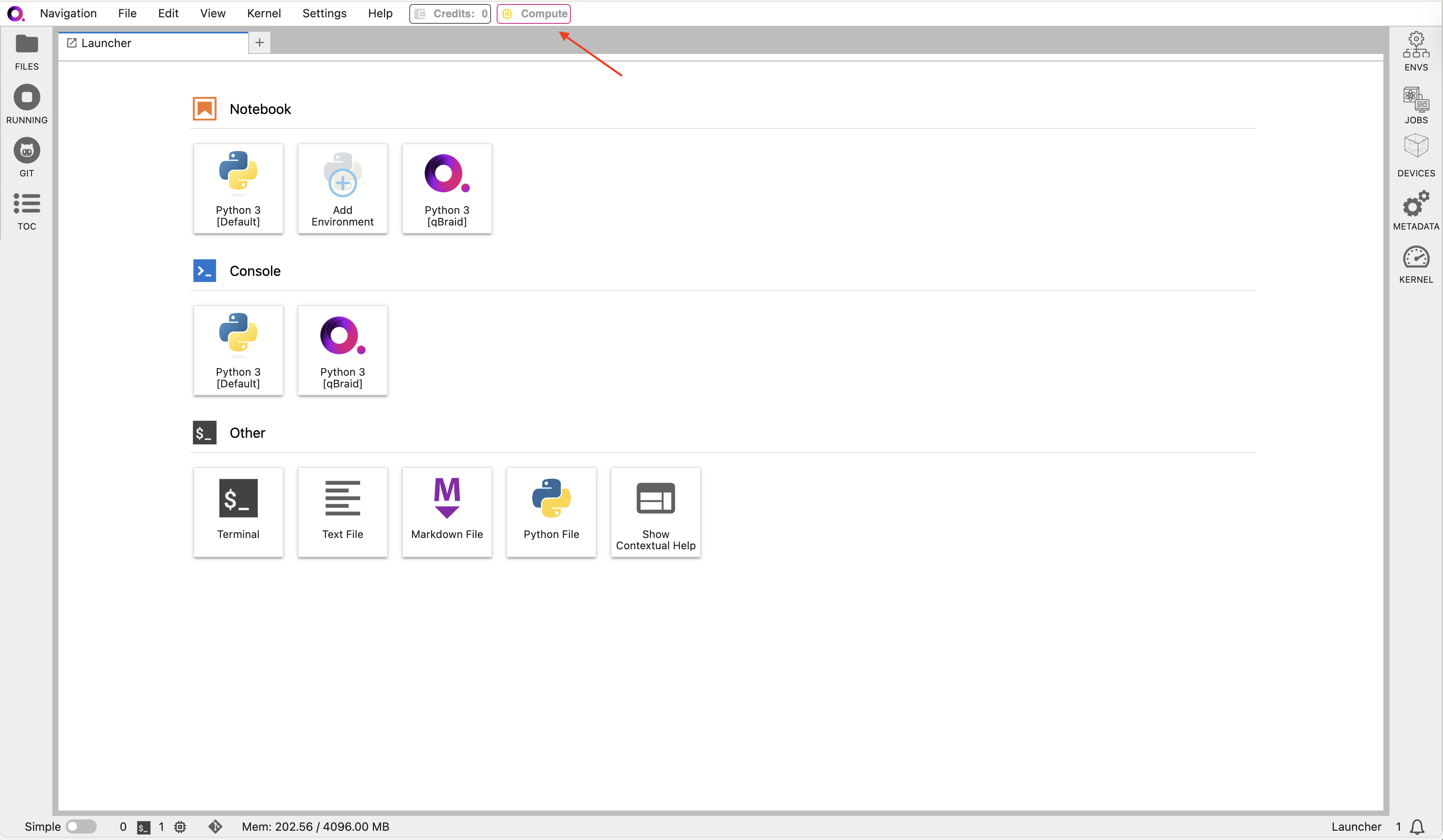
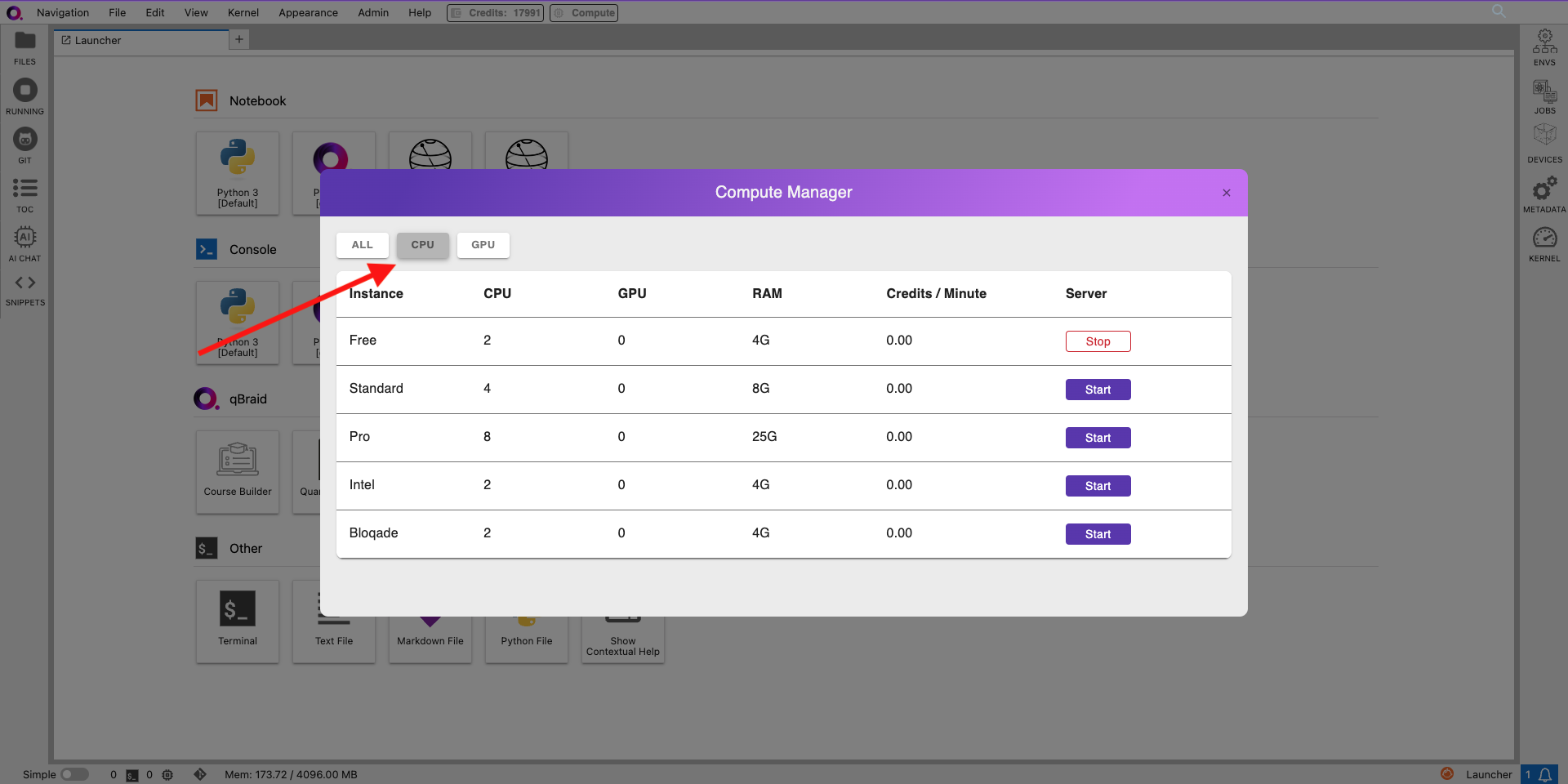
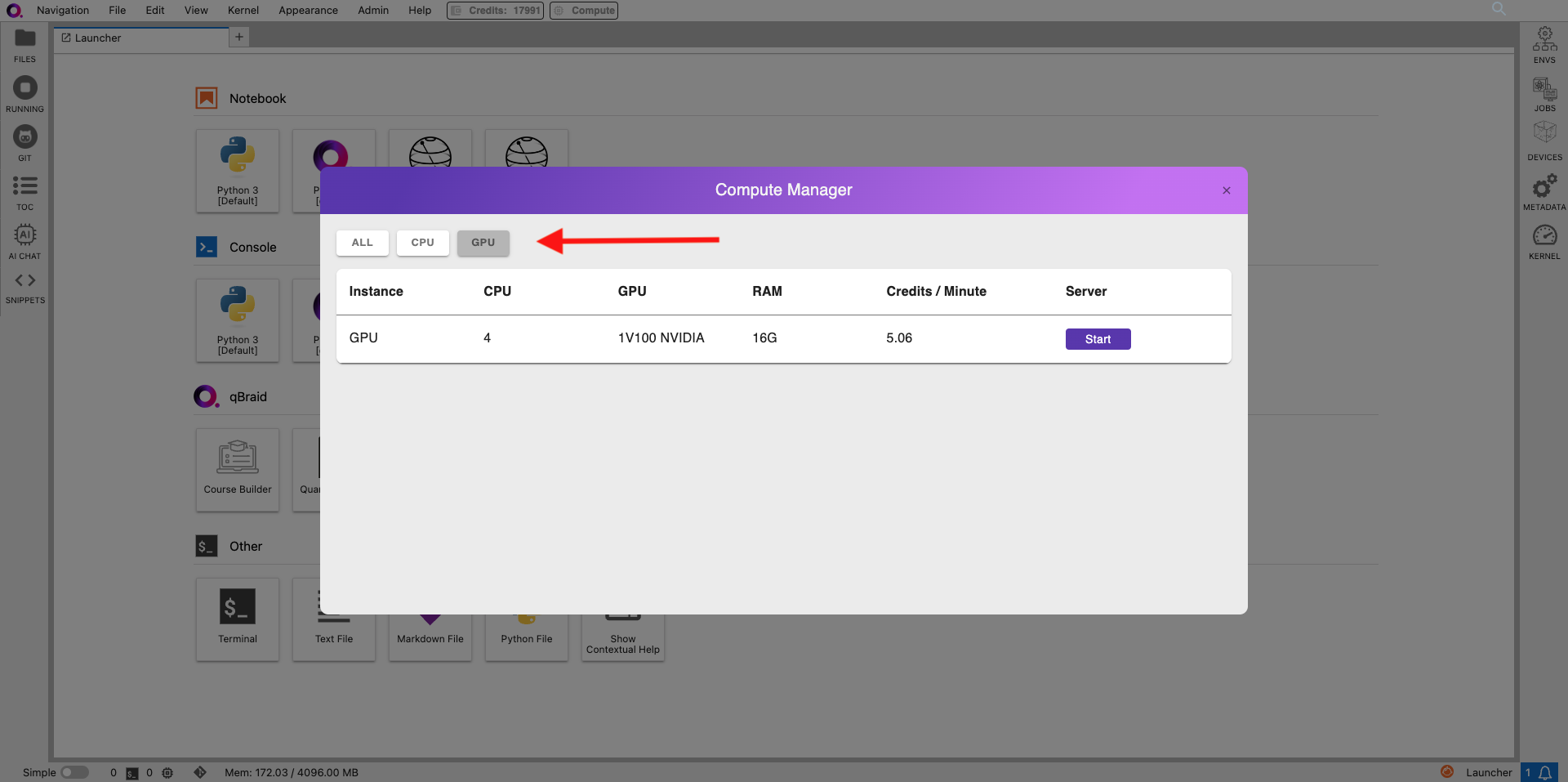
ALL, CPU, or GPU. All compute instances are available by default.
The CPU instance usage is bound by your compute hours limit.
Stop Instance
- Click “Stop” next to the currently running instance to stop your server directly from the jupyter lab.